
Broker Login Mistakes Every Crypto Beginner Makes (And How to Fix Them)

Why Broker Login Portals Confuse Crypto Beginners
Picture this. You’ve just decided to start investing. You found a guide on the best investments for beginners in 2026 and you’re excited. Your first step is to log into your brokerage account.
You go to the website and see the login box. It seems easy. But then you’re inside. Suddenly, your screen is packed with charts, flashing numbers, complex menus, and terms you don’t understand. You just wanted to check your balance or place a simple trade, but now you feel lost.
This is a daily reality for many new investors, especially those coming from the world of crypto.
The problem isn’t you. It’s the overwhelming design of many traditional trading platforms.
Whether it’s an E*Trade login, a Zerodha login, or another portal, they are often built for professional traders who need every tool at their fingertips. For a beginner, this creates instant information overload. A 2026 study found that 6 in 10 Americans struggle to make and act on financial decisions because of this kind of complexity.
This confusion has real consequences. When you’re faced with too much data and jargon, it’s hard to know what’s important. You might miss a key detail or make a decision based on fear rather than facts. Another report from 2026 highlights that while young people are gaining access to financial tools, their confidence and preparedness for investing are lagging behind. This gap between having tools and knowing how to use them safely is a major risk.
What’s the solution? Beginners don’t need fewer tools; they need simpler, more secure access to the essentials. They need a clear path through the noise, so a simple E*Trade login leads to a dashboard that makes sense, not one that causes more stress. The goal is to build confidence, not confusion.
If you’re looking to cut through the market noise and understand the data that actually matters, our guide on stock analysis for crypto is a great next step.
The good news is that finding clarity is possible. One of the best ways to start is with clear, step-by-step guidance. For ongoing tips and simple explanations about crypto investing, consider signing up for the free Clicks and Trades newsletter. It’s designed to help beginners navigate the market safely and with more confidence.
Sign up for the free Clicks and Trades newsletter here.
The Critical Importance of Secure Login for Your Crypto Investments
You finally navigate the confusing dashboard and check your portfolio. But now, a new fear creeps in. Is your account actually safe? That simple E*Trade login or Zerodha login is the digital front door to your money. If it’s not locked properly, everything inside is at risk.
For crypto investors, a weak login isn’t just an inconvenience. It’s a direct path to losing your assets forever.

Here’s why making your login secure is the most critical step you can take.
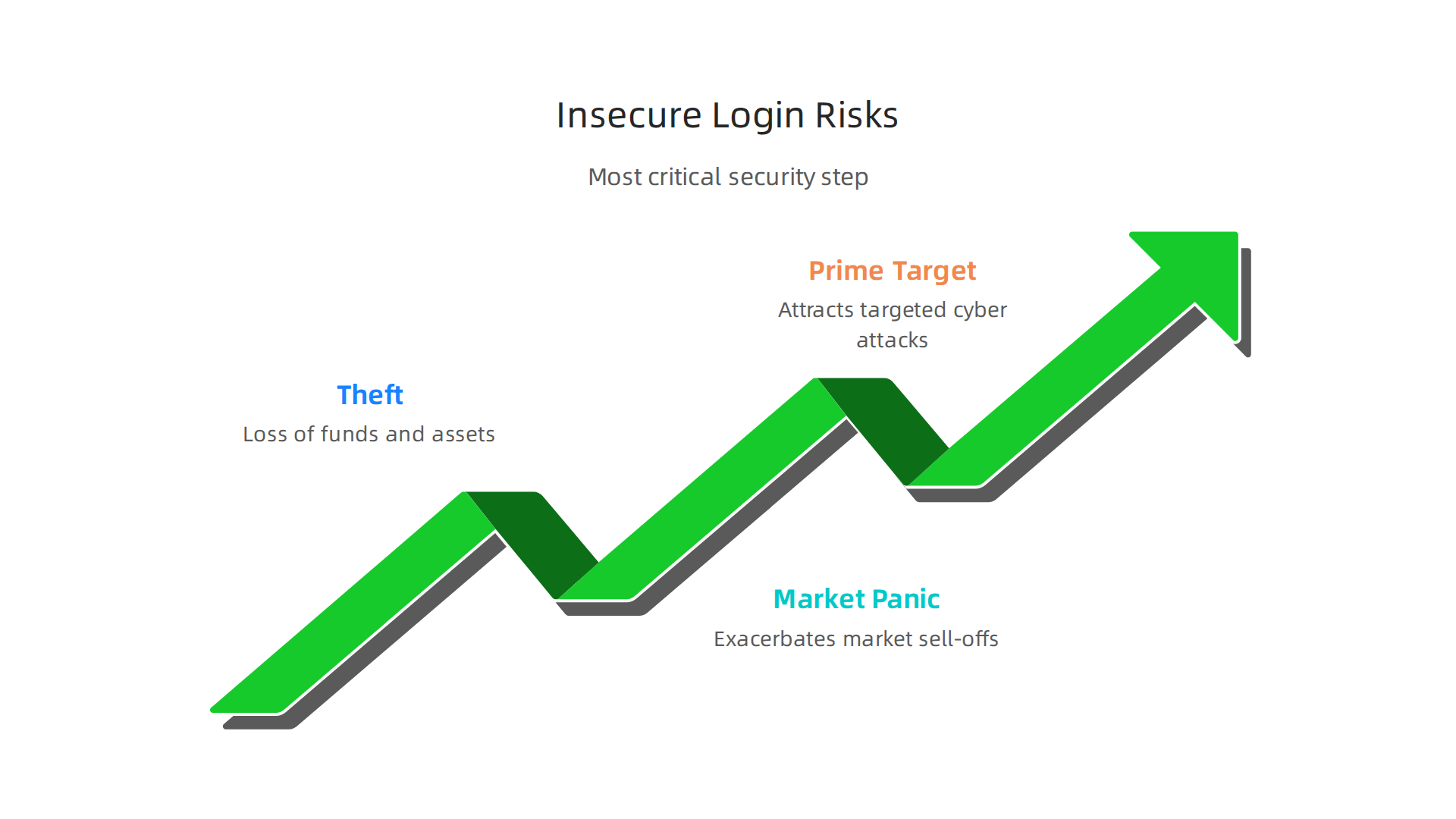
How Insecure Logins Lead to Theft
Think of your broker login as the key to a vault. If a thief gets that key, they can empty the vault and disappear. In crypto, transactions are often irreversible. Once your digital assets are sent to a thief’s wallet, they are almost impossible to recover.
Hackers don’t just guess passwords anymore. They exploit common vulnerabilities and exposures in systems, which are publicly listed security flaws that they constantly search for. A weak password or a login on an unsecured network is an open invitation. A 2026 report on emerging risks noted that many insurance policies now exclude coverage for first‑party losses from digital theft, meaning you could be completely on the own.
Your Login Protects You From Market Panic
Strong authentication does more than stop thieves. It protects you from the risks of market volatility. Imagine if someone accessed your account during a sudden market dip and sold all your holdings in a panic. You’d be locked out, forced to watch your portfolio get liquidated at the worst possible time.
A secure CE broker login with two-factor authentication (2FA) acts as a buffer. It ensures that only you can make trades, especially during emotional market swings. This security gives you the space to make calm, informed decisions instead of reactive ones. For help understanding what market moves actually mean, our guide on stock analysis for crypto breaks down the noise.
Why Crypto Investors Are Prime Targets
You are a target. Crypto accounts are high-value targets for cybercriminals because the assets are digital, global, and can be moved instantly. New investors are often singled out because they might overlook security steps in their excitement to start.
Regulators are aware of the threat. Laws are evolving to require better data protection from companies, but your personal vigilance is the first line of defense. This means using unique, strong passwords for every account and enabling 2FA everywhere it’s offered, not just for your FINRA login or main brokerage account, but for your email that’s linked to it, too.
Staying safe is an ongoing process. One of the best habits is to learn continuously from trusted, simple sources. For clear, step-by-step crypto education and safety tips delivered to your inbox, subscribing to a free newsletter like Clicks and Trades is a smart move. It’s designed to help beginners build confidence and security awareness without the overwhelm.
Your investments start with a login. Make sure that first step is a fortress.
Sign up for the free Clicks and Trades newsletter here for straightforward guidance.
Step-by-Step: Navigating the Etrade Login Portal
Now that you understand why a secure login is your first line of defense, let’s walk through the process itself. Whether you’re checking your portfolio for the first time today or making a trade, knowing how to access your account safely is key.
Here is a simple guide to the E*Trade login process, how to lock it down with two-factor authentication, and what to do if you get stuck.
The Basic E*Trade Login Process
Logging into E*Trade is straightforward. Follow these steps to access your account securely.
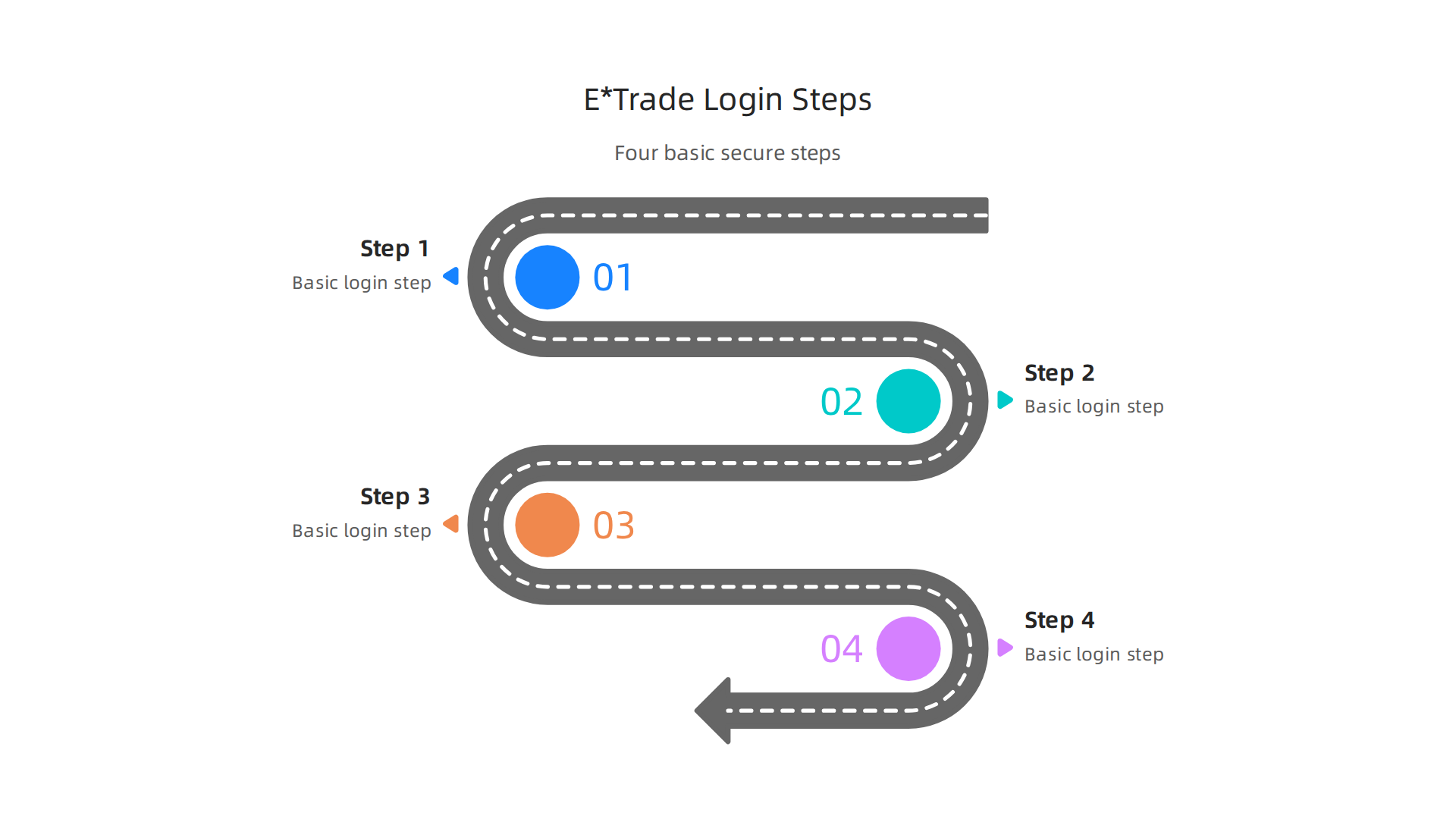
- Go to the Official Login Page. Always type the web address directly or use a trusted bookmark. The official page to log in to your E*TRADE account is the safest starting point.
- Enter Your User ID. This is the username you created when you opened your account. If you’ve forgotten it, you can retrieve it using the Log On Help page.
- Enter Your Password. Use the strong, unique password you created. Never use the same password you use for your email or other financial sites.
- Click “Log On”. If your credentials are correct, you will be taken to your account dashboard.
Once you’re in, you can view balances, manage your portfolio, and trade. If you’re new and haven’t opened an account yet, E*Trade’s Getting Started guide is a great resource for beginners.
How to Set Up Two-Factor Authentication (2FA)
A password alone is not enough. Turning on two-factor authentication adds a critical second layer of security. It means that even if someone discovers your password, they can’t get in without also having your phone or security key.
Here’s how to enable it on E*Trade:
- Log into your account.
- Navigate to your account settings or security preferences. This is often found under your profile name or in a menu labeled “Security Center.”
- Look for an option called “Two-Factor Authentication,” “2FA,” or “Extra Security Verification.”
- Follow the prompts to link your mobile phone number or an authenticator app like Google Authenticator.
- You will receive a verification code to complete the setup.
After this, every time you perform an E*Trade login, you will need to enter both your password and a temporary code from your phone. It takes an extra few seconds but makes your account exponentially safer. This principle applies to every platform, whether it’s your Zerodha login or your CE broker login.
Tips for Troubleshooting Common Access Issues
What if you can’t log in? Don’t panic. Here are the most common issues and how to fix them.
- Forgot User ID or Password? This happens to everyone. Use the dedicated Log On Help page. You can retrieve your User ID or reset your password by verifying your identity with personal details.
- Account is Locked. After too many failed login attempts, your account may be temporarily locked for security. This is a good thing. Usually, it unlocks after a short wait, or you may need to call customer service or use the help page to reset it.
- Page Isn’t Loading. First, check your internet connection. Try refreshing the page. If problems persist, clear your browser’s cache and cookies, or try logging in from a different browser.
- You See a “Moved” Message. If your account was recently migrated to ETrade from another platform, you might see a note that your accounts have moved. You will still use the main ETrade login portal, but you may need to retrieve your new User ID first.
For visual learners, a 2026 tutorial like How To Create An Account On ETRADE 2026 can be very helpful for seeing the entire process, from sign-up to first login.
Mastering your login is the first step to confident investing. For ongoing, simple guidance that helps you build safety and understanding step-by-step, consider getting clear tips delivered to your inbox. The free Clicks and Trades newsletter is designed to cut through the complexity for beginners.
Sign up for the free Clicks and Trades newsletter here for straightforward guidance.
Common Etrade Login Problems and How to Solve Them
You know how to log in and set up extra security. But sometimes, the process hits a snag. It happens to everyone. A forgotten password, a phone that won’t get the verification code, or a website that just won’t load.
These hiccups are frustrating, but they are almost always fixable. Here are the most common Etrade login problems investors face in 2026 and simple steps to get back into your account.
1. Forgotten Passwords and Account Recovery Challenges
This is the number one issue. With strong, unique passwords for every site, it’s easy to forget one.
The Fix:
- Use the Official Help Page. Don’t guess or panic. Go directly to the E*Trade Log On Help page. You can retrieve your User ID or start a password reset here.
- Have Your Info Ready. The reset process will ask you to verify your identity. Have your Social Security number, account number, or other personal details handy.
- Create a New, Strong Password. When you reset it, make sure your new password is strong and unique. Don’t reuse an old one.
Remember, this secure recovery process exists for your protection. It’s a standard practice across the brokerage industry, which continues to prioritize client security above all else.
2. Issues with Two-Factor Authentication (2FA) and Device Recognition
You turned on 2FA for safety. But now your text code isn’t arriving, or the site doesn’t recognize your device.
The Fix:
- Check Your Authenticator App. If you use an app like Google Authenticator, ensure your phone’s time is set to update automatically. A time sync issue can cause codes to fail.
- Request a New Text or Call. The login screen usually has an option to "send a new code" if the first one doesn’t arrive or expires.
- Use Backup Codes. When you set up 2FA, E*Trade often provides backup codes. Keep these in a safe place (not on your computer) and use one if your primary method fails.
- Trust This Device. If you’re on a personal computer, look for a "trust this device" or "don’t ask for codes on this computer for 30 days" checkbox during login. This can reduce future headaches.
These layers of security, while occasionally inconvenient, are critical. They protect you from what security experts call common vulnerabilities and exposures that automated attacks try to exploit.
3. Browser and Mobile App Compatibility Problems
Sometimes the issue isn’t your credentials, but the technology you’re using. The page freezes, buttons don’t work, or the app crashes.
The Fix:
- Clear Your Browser’s Cache and Cookies. Old, stored website data can cause conflicts. Clearing it often resolves loading issues instantly. You can find this option in your browser’s settings under "Privacy" or "History."
- Update Your App or Browser. An outdated app or browser version may not work with the latest security updates on E*Trade’s side. Always keep your software updated.
- Try a Different Browser. If Chrome is having issues, try logging in with Firefox or Safari. This quickly tells you if the problem is with your specific browser.
- Check for Broader Issues. Very rarely, there could be a temporary service issue. A quick online search for "E*Trade service status" can provide clues.
Staying logged out of your investment account is stressful. The key is to stay calm and use the official tools provided to recover access. For more guidance on navigating the markets safely and simply, from your Zerodha login to your overall strategy, clear advice makes all the difference.
Getting straightforward tips can help you avoid these pitfalls and invest with more confidence. Sign up for the free Clicks and Trades newsletter for step-by-step guidance delivered to your inbox.
Security Best Practices for All Brokerage Account Logins
Solving a login problem gets you back in the door. But the best move is to stop problems before they start. Think of your brokerage account like your home. You wouldn’t use a flimsy lock or leave a key under the mat.
In 2026, protecting your investments starts with a few simple, strong habits. These rules apply whether you’re doing an Etrade login, a Zerodha login, or accessing any other platform. Let’s build that security foundation.
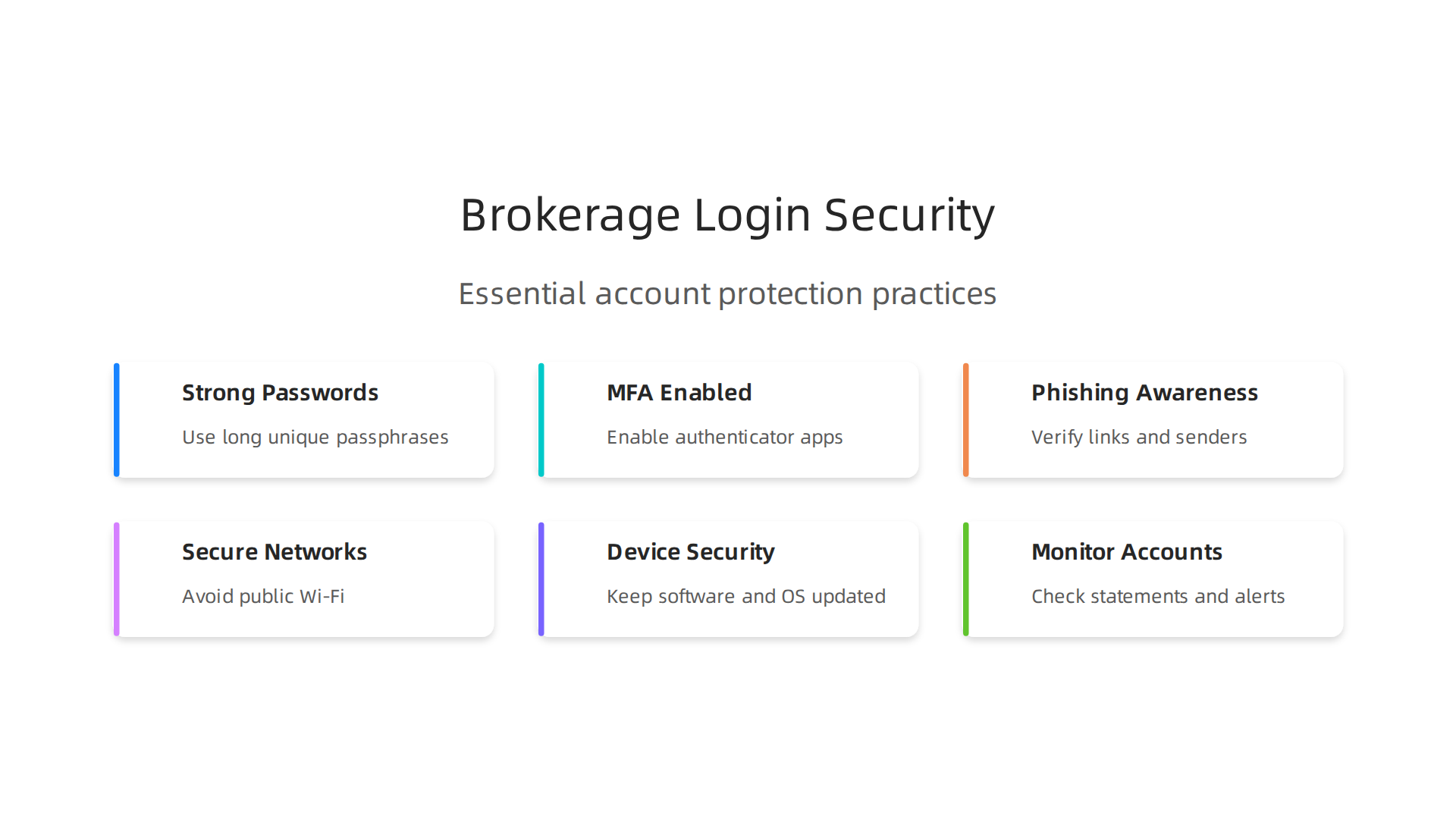
Use Strong, Unique Passwords and a Password Manager
"Password123" or your pet’s name won’t cut it anymore. A weak password is the easiest way for someone to break in.
Here is the right way to handle passwords:
- Make Them Long and Complex. Use a mix of at least 12 characters: uppercase, lowercase, numbers, and symbols. Think of a random phrase, like "BlueCoffee$Mug8Rain!"
- Never Reuse Passwords. This is crucial. If one site gets hacked, criminals will try that same password on your email, social media, and brokerage accounts. Every account needs its own unique key.
- Use a Password Manager. Remembering dozens of complex passwords is impossible. A password manager app creates, stores, and fills them for you securely. You only need to remember one strong master password.
These steps protect you from automated attacks that exploit common vulnerabilities and exposures in digital security.
Enable Multi-Factor Authentication (MFA) and Know Your Options
A password is one lock. Multi-factor authentication adds a second, completely different lock. Even if someone steals your password, they can’t get in without this second key.
You have a few choices for that second step:
- Authenticator App (Best). Apps like Google Authenticator or Authy generate a time-based code on your phone. It’s more secure than text messages.
- Text Message or Call (Good). A code sent to your phone. It’s common and better than nothing, but can be intercepted.
- Security Key (Strongest). A physical device, like a Yubikey, that you plug into your computer or connect via Bluetooth.
Turn on MFA for your brokerage account, your email, and any other financial service. It’s the single most effective upgrade to your account security.
Recognize and Avoid Phishing Attempts
The most sophisticated lock won’t help if you hand the key to a thief. Phishing is when scammers trick you into giving up your login details or personal information.
They might send a fake email that looks like it’s from E*Trade, Zerodha, or your bank. It creates urgency: "Your account is locked! Click here to verify!" The link goes to a fake website designed to steal your info.
Here is how to spot a phishing attempt:
- Check the Sender’s Email Address. Look closely. It might be "support@etrade-security.com" instead of the official "@etrade.com".
- Hover Over Links. Before clicking, hover your mouse over any link. The real destination URL will pop up. Does it look strange or not match the official site?
- Look for Urgency and Threats. Phishing emails pressure you to act NOW. A real company won’t threaten to close your account if you don’t click a link in an email.
- Never Give Out Codes. Legitimate companies will never call, text, or email you to ask for your password or a 2FA code.
Staying safe means staying informed. For more guidance on navigating investments with clarity, from your CE broker login to understanding market trends, check out our guide on stock analysis for beginners.
Make Security a Simple Habit
Security isn’t about being a tech expert. It’s about building good habits. Use a password manager, turn on MFA everywhere, and be skeptical of urgent messages.
The financial world keeps evolving, with new technologies and risks emerging. Staying a step ahead with basic security gives you peace of mind and protects your hard-earned money. Want simple, step-by-step tips on security and investing sent to your inbox? Sign up for the free Clicks and Trades newsletter. It’s straightforward guidance to help you invest with more confidence.
Etrade vs. Other Brokers: Crypto Trading Features Compared
So you have strong security habits for your Etrade login. That’s the first step. But in 2026, protecting your investments also means choosing the right platform for your goals, especially if you’re curious about cryptocurrency. Not every brokerage offers the same crypto features, and the right choice depends on what you want to trade and how you like to learn.
Let’s compare E*TRADE with other types of platforms to see where it fits in the current market.
Cryptocurrency Assets: What Can You Actually Trade?
The first big difference is selection. As a traditional brokerage, E*TRADE offers access to a curated set of mainstream cryptocurrencies, typically like Bitcoin and Ethereum. You won’t find hundreds of smaller altcoins there. Their focus is on integrating these major digital assets into a broader investing and retirement account framework.
In contrast, dedicated crypto exchanges and some newer brokerages offer a much wider menu. You might find access to hundreds of tokens, from well-known ones to newer projects. As experts note, innovation in cryptoassets is accelerating, bridging the gap between traditional and decentralized finance. If trading a diverse portfolio of altcoins is your main goal, a specialized platform might be necessary.
The takeaway: E*TRADE is for adding crypto to a traditional portfolio. A dedicated crypto exchange is for deeper exploration of the digital asset ecosystem.
Login Security and Platform Safety
Your Etrade login benefits from the robust security framework of a large, regulated financial institution. This includes strong multi-factor authentication (MFA) options, encryption, and account monitoring. The security we discussed earlier, like using an authenticator app, applies fully here.
Many dedicated crypto platforms also offer strong security, like MFA and whitelisting for withdrawals. However, the regulatory environment can differ. When you log in to a traditional broker like E*TRADE, you’re protected by long-established frameworks from bodies like FINRA. The crypto-specific regulatory landscape is still evolving in 2026, though significant progress is expected.
The takeaway: Both offer strong technical security. Traditional brokers provide an additional layer of familiar financial regulation.
Ease of Use and Learning Resources
This is where your personal comfort matters most. E*TRADE’s platform is designed for investors of all types. If you already use it for stocks, adding crypto feels familiar. They provide extensive educational resources in their Knowledge Center, which is great if you’re learning investing basics that include crypto.
For a pure beginner focused only on crypto, a dedicated app might feel simpler at first. The interfaces are built specifically for digital assets. However, they might lack the holistic planning tools E*TRADE provides for your entire financial picture.
The key is finding clear, simple information to build confidence. Whether you’re completing an Etrade login or a Zerodha login, feeling overwhelmed by data is a common problem. Getting clear insights, without the complex jargon, is the goal. For more on that, see our guide on using stock analysis principles to cut through crypto noise.
The takeaway: E*TRADE excels for those who want crypto within a traditional investing toolkit. Dedicated crypto platforms can offer a more streamlined, crypto-first experience.
Choosing What’s Right for You
Think about your main goal. Are you a traditional investor wanting to allocate a small portion to Bitcoin? E*TRADE’s integrated approach makes sense. Is crypto your primary interest, and you want to trade many different tokens? A specialized crypto exchange is likely better.
No matter your choice, the principles of security and continuous learning are universal. The crypto space continues to grow, with tokenization and deeper integration into global finance being key trends for 2026.
Staying updated doesn’t have to be confusing. For straightforward, step-by-step tips on navigating crypto and traditional investing safely, consider signing up for the free Clicks and Trades newsletter. It’s simple guidance to help you make informed decisions with more confidence.
Simplifying Financial Data: How to Avoid Information Overload
You’ve picked a platform and completed your secure Etrade login. Now what? You’re faced with charts, numbers, news feeds, and alerts. It’s easy to feel stuck, watching data flow by without knowing what any of it means for your money.
This feeling is very common. In fact, a 2026 study found that 6 in 10 Americans struggle to make and act on financial decisions because they feel overwhelmed by information and choices. The good news is you don’t need to track everything. The goal is to focus on the few signals that matter most to your personal plan.
Here are three simple ways to cut through the noise in 2026.
1. Identify Your Key Metrics (And Ignore the Rest)
Trying to watch every stock, crypto price, and economic report is a fast track to burnout. Instead, define 3-5 key numbers that truly reflect your goals.
For example, if you’re using E*TRADE to build a long-term retirement fund, your key metrics might be:
- Your overall portfolio allocation (stocks vs. bonds).
- The performance of your 3 largest holdings.
- Your total account value, reviewed monthly (not daily).
If you’re dabbling in crypto, your key metric might simply be the price trend of Bitcoin and Ethereum, not the daily moves of hundreds of altcoins. This focused approach aligns with beginner investing strategies for 2026 that stress consistency over complexity. You can apply similar logic to any platform, whether it’s after your Zerodha login or your CE broker login.
The rule is simple: if a number doesn’t help you make a clear "stay the course" or "adjust slightly" decision, it’s probably just noise.
2. Use Visual Tools and Dashboards
Our brains process pictures much faster than spreadsheets. Use this to your advantage. Modern platforms offer dashboards that turn complex data into simple visuals.
After your Etrade login, explore the built-in charts and summary views. Look for graphs that show your portfolio’s growth over time or its current asset allocation. These visuals tell you the story at a glance, which is more useful than a table full of tiny numbers.
For tracking cryptocurrency specifically, dedicated visual platforms are designed to reduce overwhelm. A service like Cryptocurrency Eye is built for this purpose. It provides clean, intuitive dashboards that show price trends and market movements in plain English, helping beginners quickly grasp what’s happening without advanced trading jargon. This "clarity-first" approach directly tackles the confusion many new investors face.
The brokerage industry in 2026 is heavily focused on improving user experience through better technology and interfaces. Don’t be afraid to use these tools. A good chart can replace hours of staring at numbers. For more on filtering out market noise, our guide on using stock analysis principles for crypto breaks down how to spot what matters.
3. Set Up Smart Alerts, Not Constant Notifications
Your phone buzzing all day with price updates creates stress, not insight. The trick is to set alerts only for the events that require your attention.
Turn off default news alerts. Instead, create custom alerts for:
- A major holding hitting your target buy or sell price.
- Significant news about a company you own (like an earnings report).
- Large, unexpected swings in a market index you follow.
This way, you can go about your day without watching the screen. Your phone will only notify you when something meaningful happens. This creates healthy distance and prevents emotional, reactive decisions. A 2026 survey highlighted that while younger investors are optimistic, many get their ideas from the constant stream of social media, leading to potential information overload. Smart alerts help you control the flow.
Simplification Leads to Better Decisions
Financial stress was high heading into 2026, but many Americans are optimistic about getting their plans on track this year. Simplifying your data is a powerful step toward that goal. When you focus on key metrics, use visual dashboards, and let smart alerts do the watching, you turn overwhelming data into clear, actionable information.
This clarity helps you make confident decisions, whether you’re logging into E*TRADE, checking a crypto wallet, or reviewing your retirement account. For ongoing, step-by-step guidance on managing investments and crypto without the overwhelm, consider subscribing to the free Clicks and Trades newsletter. It delivers simple tips to help you stay informed and confident.
Sign up for straightforward insights that make sense.
Summary
This article explains why traditional broker login portals often confuse new crypto investors and shows practical ways to regain control. It covers the root causes of information overload, the critical importance of securing your account, and how insecure logins can lead to theft or panic-driven trades. You’ll get a clear, step-by-step E*TRADE login walkthrough, instructions to enable two-factor authentication, and fixes for common access problems. The guide also offers simple security habits—strong unique passwords, MFA options, and phishing awareness—and compares brokered crypto access to dedicated exchanges. Finally, it shows how to simplify the data you see so you can make calm, informed decisions instead of feeling overwhelmed.